

Key Takeaways
- Automatic transfers move money to savings before you can spend it, removing decision fatigue.
- You can set up automation through your bank, employer payroll, or a dedicated savings app.
- Start with a small, consistent amount - even $25 per paycheck builds a meaningful habit over time.
- Review your automated transfers whenever your income or expenses change significantly.
- Automation works best when your checking account consistently covers bills and essentials first.
What you will need
Why Automation Works - and What It's Actually Doing
Saving manually requires a decision every single pay period: how much to transfer, whether now is the right time, and whether you can "afford" it this week. That repeated decision-making is where most savings intentions stall. If you've ever wondered why it's so difficult to follow through even when you genuinely want to save, the behavioral factors behind that friction are well-documented and affect nearly everyone.
Automation sidesteps the decision entirely. Once a transfer rule is in place, saving becomes the default - money moves according to a schedule you set once, independent of your mood, workload, or willpower that week.
This is the core of the "pay yourself first" principle: treat your savings contribution like a fixed bill that gets paid before you decide how to spend the rest. Research in behavioral economics consistently finds that defaults - the thing that happens unless you actively change it - have a strong influence on actual behavior. Automation makes saving the default.
What you will need
Automation is not a magic fix for every situation. If your income is irregular or your expenses routinely exceed your income, automation alone won't create money that isn't there. For those situations, saving on a tight budget requires a different approach first.
Tools You'll Use
You don't need special software or a financial adviser to automate your savings. The tools involved are ones you likely already have access to.
Online or Mobile Banking Portal
Used to schedule recurring transfers between your checking and savings accounts.
Employer Payroll / HR System
Allows you to split your direct deposit so a fixed amount goes straight to savings each pay period.
High-Yield Savings Account
A federally insured account type that may earn more interest than a standard savings account, making it a common destination for automated transfers.
The right combination depends on your employment situation and how much separation you want between your spending and saving accounts. Most people find their bank's recurring transfer feature sufficient to start.
Step-by-Step: Setting Up Automated Savings
Determine a realistic transfer amount
Before you schedule anything, look at your last two or three months of bank statements. Identify your average take-home income and your non-negotiable monthly costs - rent, utilities, insurance, minimum debt payments, and groceries. The gap between income and those fixed costs is your rough working margin.
Choose a transfer amount that fits comfortably within that margin - not the maximum you could theoretically save. Starting at $25 to $50 per paycheck is reasonable for most people building the habit for the first time. You can always increase it once the routine is established and you've confirmed it doesn't strain your cash flow.
Choose where the money will go
Your automated savings need a destination. A savings account that is separate from your everyday checking account adds a psychological barrier - money that isn't immediately visible is less tempting to spend. Options typically include:
- A savings account at your current bank - easiest to set up, transfers are instant or same-day.
- A savings account at a different bank - slightly slower transfer times create an additional friction layer that can discourage impulsive withdrawals.
- An employer-designated account via payroll split - money never touches your checking account at all.
For goal-specific saving - a vacation fund, emergency fund, or down payment - consider whether your bank allows you to label or create sub-accounts for individual goals. This makes it easier to track progress without mixing funds.
Set up the recurring transfer
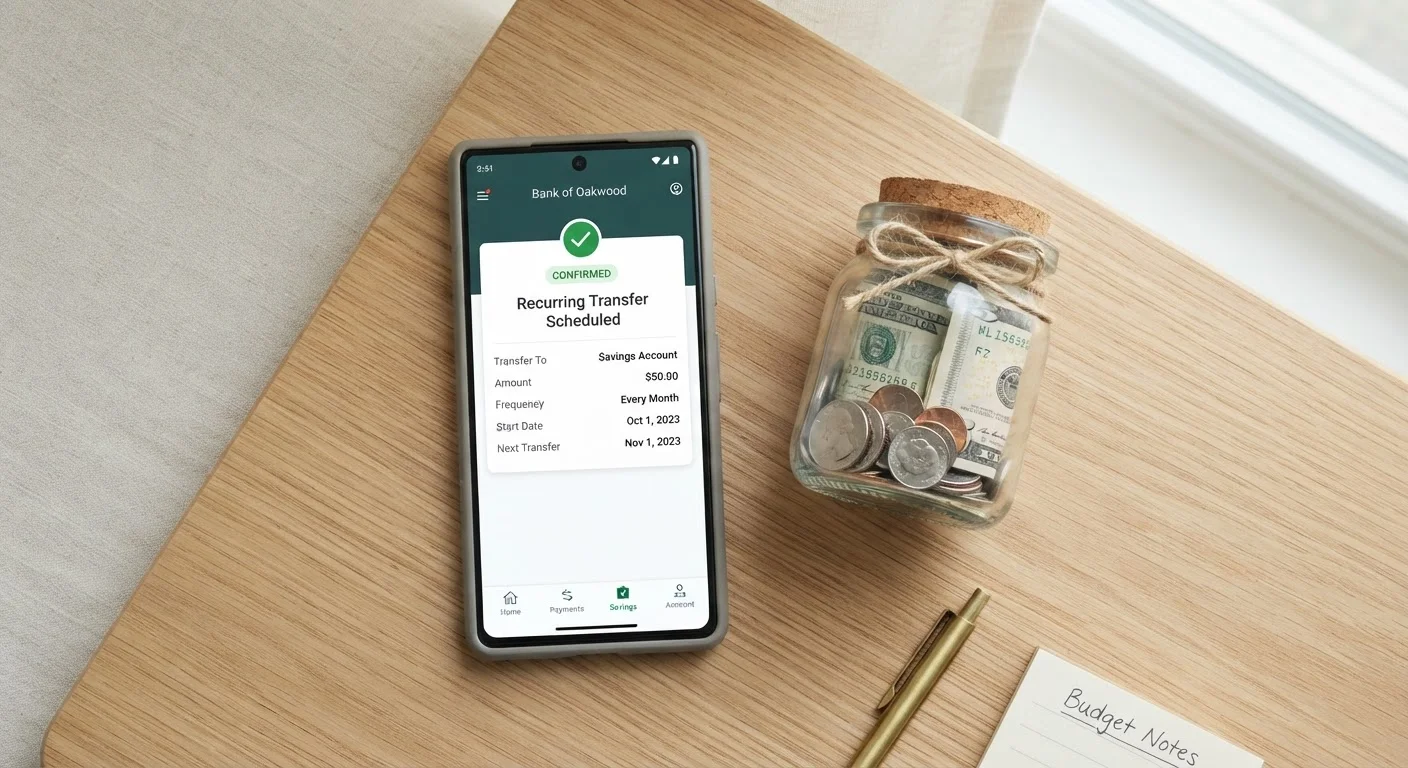
Log in to your bank's online or mobile portal and navigate to the transfers section. Most institutions offer a "recurring transfer" or "scheduled transfer" option. You will typically set:
- From account: your checking account
- To account: your savings account
- Amount: the figure you determined in Step 1
- Frequency: weekly, biweekly, or monthly - matching your pay schedule works best
- Start date: choose the day your paycheck typically posts
Alternatively, if your employer's payroll system allows direct deposit splitting, you can direct a flat dollar amount or percentage of each paycheck straight to your savings account before it ever reaches checking. Ask your HR department or check your employee self-service portal for instructions specific to your workplace.
Confirm the first transfer and monitor for two cycles
After your first automated transfer executes, log in and verify: the correct amount moved, the transfer occurred on the expected date, and your checking account balance remained above zero with room for upcoming bills. Do the same check after the second transfer cycle.
Two clean cycles with no overdrafts or cash-flow stress is a good signal that the amount is calibrated correctly. If you did run tight, reduce the amount - do not abandon automation entirely. A smaller consistent transfer outperforms an ideal amount that keeps failing.
Schedule periodic reviews
Set a calendar reminder to review your automated savings every three to six months. At each check-in, ask:
- Has my income increased? If so, can I raise the transfer amount?
- Have new fixed expenses appeared (a new loan, higher rent, a subscription)?
- Am I on pace toward my savings goal, or does the timeline need adjusting?
Automation handles the execution, but you still need to steer. Think of the periodic review as a five-minute maintenance task - not a full financial overhaul. For a structured way to approach this, see our personal savings audit checklist.
Overdrafts Can Undermine Your Progress
If your checking account balance runs low before your next paycheck, an automated transfer can trigger an overdraft fee - effectively penalizing you for trying to save. Always confirm your transfer date aligns with your deposit schedule and that your buffer covers regular bills. Start with a smaller transfer amount rather than risking fees that wipe out what you saved.
Once you've completed setup and confirmed the transfers are running cleanly, consider how your automated savings fit into your broader financial picture. Different goals - a three-month emergency fund versus a five-year home down payment - call for different timelines and account choices. Our guide to matching savings strategy to your goal walks through how to think about that distinction.
Match Your Transfer Date to Your Pay Date
The most reliable approach is scheduling your automatic transfer for the same day - or the day after - your paycheck lands. This mirrors the "pay yourself first" principle: savings leave before discretionary spending can absorb them. Many banks let you set a transfer to trigger within 24 hours of a direct deposit.
When Manual Saving Might Make More Sense
Automation is a strong default, but it isn't the right fit for every circumstance. Consider a manual or hybrid approach if:
- Your income varies significantly from month to month. Freelancers, gig workers, and commission-based earners may find a fixed automated transfer too rigid. A percentage-based rule reviewed manually each pay period can give more control.
- You're currently paying down high-interest debt. Before automating savings aggressively, consider whether the interest rate on your debt exceeds what your savings account earns. Prioritization matters. This is general education - consult a licensed financial professional about the right balance for your specific situation.
- Your budget is extremely tight. Automation works best with a consistent margin above zero. If your balance regularly hovers near your minimum, a temporary manual approach while you stabilize your cash flow may reduce overdraft risk.
A useful benchmark: if you can reliably set aside even a small amount without the account going negative, automation is worth trying. For a broader look at your current saving habits, the personal savings audit provides a structured set of questions to identify gaps. And if budgeting is the underlying challenge, the budgeting hub covers how to build a spending plan that makes room for saving in the first place.
Don't Set It and Completely Forget It
Automation is not a substitute for reviewing your finances regularly. Life changes - income shifts, new expenses appear, or goals evolve - and a transfer amount that made sense six months ago may no longer fit. Schedule a quick check-in every three to six months to confirm the amount still works for your budget.
This article provides general financial information and education only. It is not personalized financial, investment, tax, or legal advice. Consult a qualified financial professional for guidance specific to your situation.