

Key Takeaways
- Soundbars prioritize simplicity and space efficiency; AV receivers prioritize flexibility and expandability.
- AV receivers require separate speakers and more cables but can support true multi-channel surround sound.
- Soundbars are a strong fit for smaller rooms, renters, or anyone upgrading from TV speakers with minimal hassle.
- Room size, listening habits, and willingness to configure equipment are the key factors in choosing between them.
- Neither option is universally better - the right choice depends on your specific space and goals.
Our Verdict
Soundbars and AV receivers solve the same core problem - poor TV audio - through very different approaches. Soundbars win on convenience and footprint; AV receivers win on power, customization, and long-term expandability. Most casual listeners and those with limited space will be well served by a quality soundbar, while dedicated home theater enthusiasts will find an AV receiver delivers a ceiling that soundbars simply cannot match.
| Best for | Recommended |
|---|---|
| Renters, apartment dwellers, or small-room setups | Soundbar |
| Dedicated home theater rooms with space for speakers | AV Receiver |
| Those who want plug-and-play simplicity with minimal wiring | Soundbar |
| Audiophiles or gamers who want future upgradability | AV Receiver |
What Each Device Actually Does
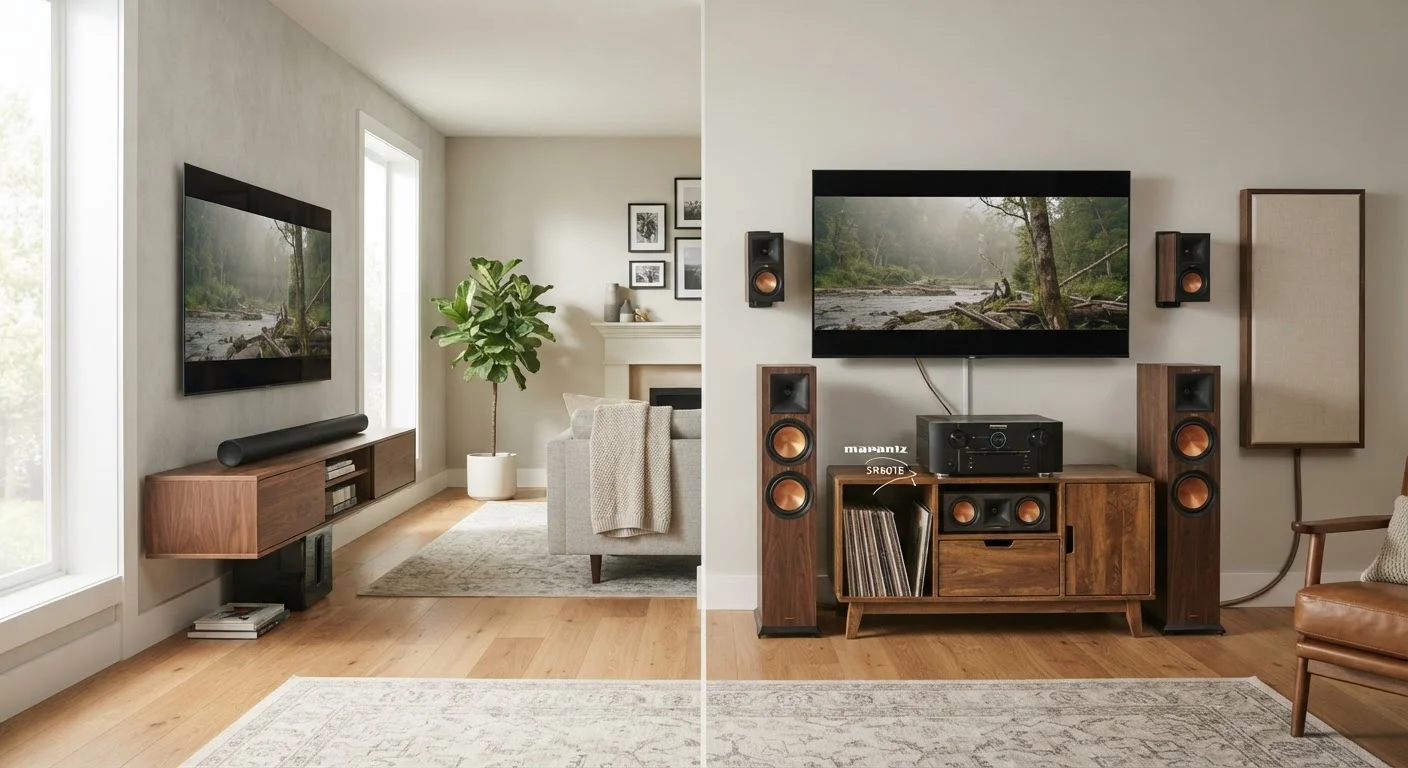
An AV receiver (audio/video receiver) is the central hub of a traditional home theater. It amplifies audio signals and routes them to separate speakers - typically five, seven, or more - positioned around the room. It also manages HDMI switching, letting you connect multiple devices (gaming consoles, Blu-ray players, streaming sticks) and route both audio and video through one box.
A soundbar is a self-contained speaker enclosure that sits beneath or near your TV. All the amplification and speaker drivers live inside a single long unit, sometimes supplemented by a separate wireless subwoofer. Some premium soundbars include rear satellite speakers or use sophisticated audio processing to simulate surround effects from a single bar.
Both aim to solve the same problem: thin, flat TV audio that results from the shallow speaker chambers built into modern flat-panel televisions.
Setup and Complexity
This is where the two approaches diverge most sharply. A soundbar typically connects to your TV via a single HDMI ARC (Audio Return Channel) or optical cable. Unbox it, connect two cables, and you're done - often in under 15 minutes.
An AV receiver demands considerably more effort. You'll need to run speaker wire to each satellite speaker, position those speakers around the room, configure the receiver's internal calibration system, and manage a web of HDMI cables. Many receivers include automatic room calibration tools that use a measurement microphone to tune speaker output to your room's acoustics - a genuinely useful feature, but one that adds setup time.
Use Automatic Calibration If Available
Most mid-range and higher AV receivers include automatic room correction software (commonly branded as Audyssey, YPAO, or MCACC). Running this calibration with the included microphone takes about 10 minutes and meaningfully improves audio accuracy for your specific room. Don't skip it - it's one of the biggest quality improvements you can make at no extra cost.
For a detailed walkthrough of the full setup process, see our guide to building a home theater from scratch.
Sound Quality and Surround Performance
An AV receiver paired with quality separate speakers has a fundamental acoustic advantage: physical speaker placement. True surround sound - dialogue from the center, effects from the sides, ambience from the rear - depends on speakers actually positioned in those locations. No amount of audio processing can fully replicate a sound coming from behind you when the source is in front of you.
Soundbars use psychoacoustic processing (software that tricks the brain into perceiving width and depth) and, in some cases, upward-firing drivers that bounce sound off the ceiling for overhead effects. These techniques are genuinely impressive at close range in smaller rooms, but they tend to break down in larger spaces or when you're seated off-axis.
For most TV watching - streaming, casual gaming, news - a quality soundbar sounds dramatically better than built-in TV speakers and will satisfy most listeners. For cinematic home theater experiences or critical music listening, separate speakers driven by a receiver hold a meaningful edge. Understanding the different audio formats can help you decide how much surround fidelity matters to your use case.
Comparing the Two Side by Side
The table below summarizes how soundbars and AV receiver systems compare across the dimensions that matter most to buyers.
| Soundbar | AV Receiver + Speakers | |
|---|---|---|
| Setup time | Under 30 minutes | Several hours typical |
| Space required | Minimal - one unit | Significant - multiple speakers |
| True surround sound | Simulated (processing) | Genuine multi-channel |
| Entry cost | Lower overall | Higher (receiver + speakers) |
| Expandability | Limited | High - add speakers, formats |
| HDMI device switching | Often 1-2 inputs | Typically 4-8 inputs |
| Best room size | Small to medium | Medium to large |
Room size and layout play a significant role too - a point covered in detail in our article on how speaker placement shapes what you hear.
Cost, Space, and Long-Term Value
Entry-level soundbars start well below $200, while capable mid-range models sit in the $300-$600 range. AV receivers at the entry level start around $300-$400 - but that price doesn't include speakers, which represent an additional and often significant investment.
A receiver-based system has a higher upfront cost but can be expanded over time: add a subwoofer later, upgrade to better speakers, or support new audio formats as they emerge. A soundbar is largely fixed at purchase - what you buy is what you have, though some systems allow optional add-on rear speakers.
Space is another practical constraint. Soundbars require minimal room real estate. A full surround system needs floor space for speaker stands or wall mounting, plus cable management for wires running across or under the room. For renters or those in smaller living spaces, this alone can make the soundbar the only realistic option.
For guidance on matching audio gear to your actual room and budget, see our piece on building a home audio system for any budget.
Don't Overlook HDMI Format Compatibility
If you plan to connect a 4K source device like a gaming console or streaming player, verify that the receiver or soundbar supports HDMI 2.1 if you need 4K/120Hz passthrough. Older models - even relatively recent ones - may not pass these signals correctly, which can cause video issues unrelated to audio. Check the spec sheet before buying.