

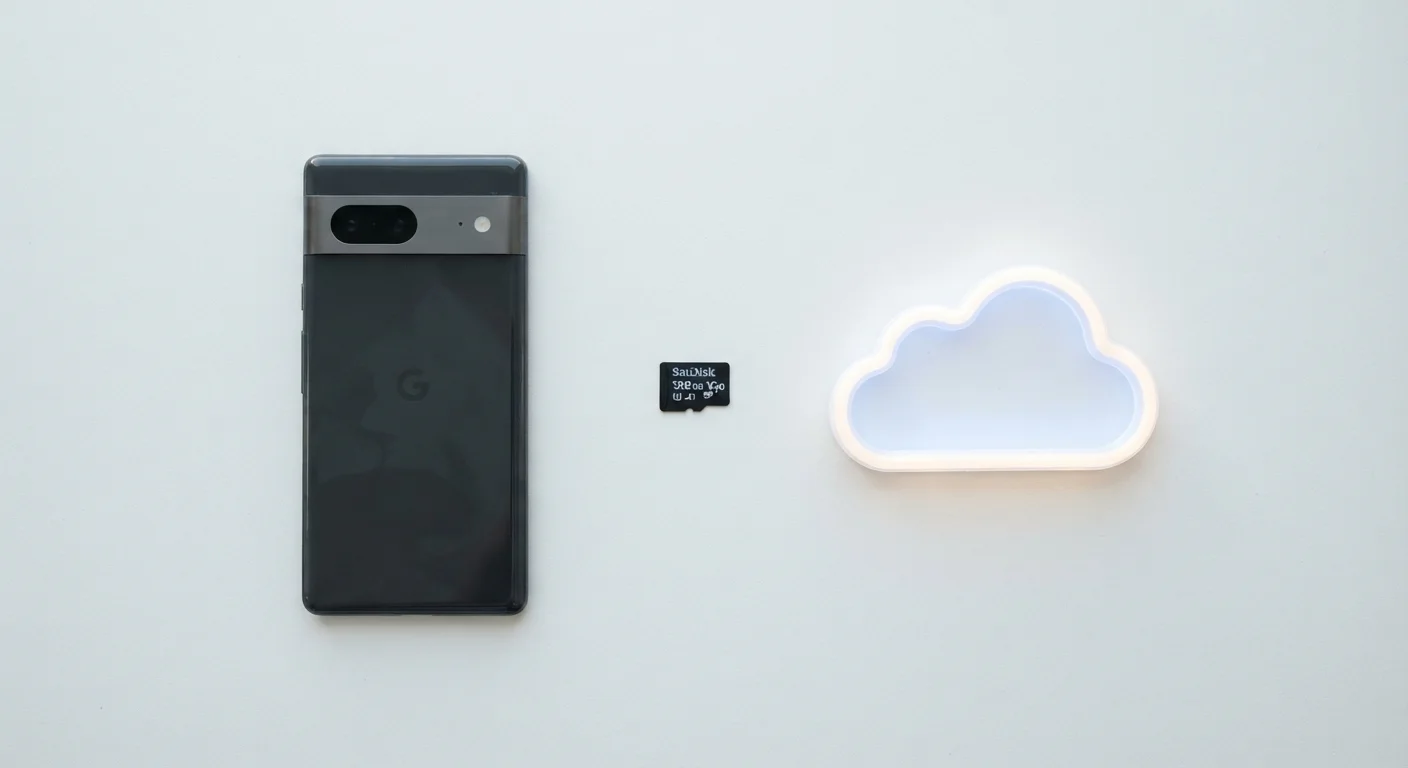
Key Takeaways
- Internal storage is fastest and most reliable, but permanently fixed at purchase - it cannot be upgraded later.
- microSD cards expand storage affordably on compatible Android devices; iPhones do not support them.
- Cloud storage keeps files accessible across devices but requires an internet connection and ongoing subscription costs.
- Most users benefit from combining internal storage with at least one backup method, either cloud or microSD.
Our Verdict
No single storage type wins outright - the right combination depends on your phone model, data habits, and budget. Internal storage should handle your most-used apps and files; cloud or microSD handles the overflow and backups. Understanding the trade-offs helps you stop paying for storage you don't need, or scrambling when space runs dry.
| Best for | Recommended |
|---|---|
| Heavy app users and gamers who need fast, reliable performance | Internal Storage (high capacity) |
| Android users who store lots of photos and videos on a budget | microSD Card |
| Users who access files across multiple devices or want automatic backups | Cloud Storage |
| Anyone wanting full protection against device loss or failure | Cloud + Internal combination |
What Phone Storage Actually Means
When your phone says it's full, it's referring to internal storage - the built-in flash memory that holds your operating system, apps, photos, videos, and files. This is different from RAM (Random Access Memory), which temporarily handles active tasks. Think of internal storage as your phone's filing cabinet, and RAM as its desk space. Learn more about how your phone's processor and memory work together to run everything smoothly.
Modern phones typically ship with 64GB, 128GB, 256GB, or 512GB of internal storage. The number that matters most is how much remains after the operating system and pre-installed apps take their cut - which can be 10-20GB on some devices.
Internal Storage: Fast but Fixed
Internal storage uses flash memory (specifically NAND flash), the same general technology found in solid-state drives. It's soldered directly to the motherboard, which makes it fast and durable - but also permanent. You cannot upgrade it after purchase.
- Speed: Apps load faster from internal storage than from any external option.
- Reliability: No moving parts and no risk of losing a physical card.
- Limitation: Once full, performance degrades. Most phones struggle when less than 10-15% of internal storage is free.
The practical advice here is straightforward: buy as much internal storage as your budget allows at purchase time, especially if the phone doesn't support microSD expansion. Some common myths about phone performance - like clearing RAM constantly - are less impactful than simply keeping internal storage from filling up.
Check Storage Before You Buy
When shopping for a phone, the listed storage figure includes space used by the operating system. A 128GB phone may have only 110GB actually available to you. If the phone lacks a microSD slot, consider stepping up to a higher storage tier at purchase - it's far cheaper than cloud subscriptions over three or four years of ownership.
microSD Cards: Affordable Expansion for Android
A microSD card is a tiny removable memory card that slots into compatible phones, adding anywhere from 32GB to 1TB of extra space. Most mid-range and budget Android phones include a microSD slot; flagship Android models increasingly omit it, and iPhones have never supported it.
microSD cards work well for storing photos, videos, music, and downloaded files. However, most Android apps cannot be moved to a microSD card due to security and performance restrictions - so it doesn't solve an app-storage problem, only a media-storage problem.
| Internal Storage | microSD Card | Cloud Storage | |
|---|---|---|---|
| Speed | Fastest | Moderate (card-dependent) | Slowest (needs internet) |
| Capacity range | 64GB-1TB (fixed at purchase) | 32GB-1TB (removable) | Scalable with subscription |
| iPhone compatible | Yes | No | Yes |
| Android compatible | Yes | Most mid-range/budget models | Yes |
| Works offline | Yes | Yes | No |
| Ongoing cost | None after purchase | One-time card cost | Monthly/annual subscription |
| Best for | Apps and core files | Photos, video, media | Backups, cross-device access |
Card speed ratings (labeled A1, A2, V30, etc.) matter for video recording and app performance. For storing photos and streaming music downloads, a standard card is usually sufficient. For shooting 4K video directly to the card, look for a V30 or higher rating.
Cloud Storage: Access Anywhere, Depends on Connectivity
Cloud storage saves your files on remote servers managed by a provider, accessible via an internet connection. Major platforms offer a baseline of free storage - typically 5-15GB - with paid tiers beyond that. Many phones automatically back up photos and contacts to a linked cloud account.
36%
Smartphone users who've run out of storage
A survey by Western Digital found that over a third of smartphone users have experienced full-storage issues that interrupted their daily use.
15GB
Typical free cloud storage tier
Many major cloud providers offer around 15GB of free storage, though limits and terms vary by platform and can change over time.
Cloud storage's biggest advantage is redundancy: if your phone is lost, stolen, or damaged, your data survives. It also syncs seamlessly across devices. See how cloud and local storage compare on a home computer for a broader look at this trade-off.
Free Cloud Tiers Fill Up Quickly
Free cloud storage limits can be reached faster than expected, especially if multiple devices back up to the same account. Once the limit is hit, automatic photo backups often stop silently - meaning you may believe your photos are safe when they aren't. Review your cloud usage regularly and set up alerts or paid storage before you hit the ceiling.
Cloud storage is not a real-time solution for freeing up phone space unless you actively delete local copies after uploading - something most services let you automate through settings.
Choosing the Right Mix for Your Habits
Most users don't need to pick just one approach. A practical strategy for the majority of phone owners looks like this:
- Internal storage handles apps, games, and frequently accessed files where speed matters.
- Cloud backup protects photos, contacts, and documents automatically in the background.
- microSD (if supported) offloads media like downloaded podcasts, offline maps, or video libraries.
If you're switching to a new device, your storage strategy carries over too. Moving everything to a new phone safely is much easier when your data is already organized across internal storage and cloud backups. And since cloud storage involves your personal data, it's worth reviewing basic smartphone security habits to make sure your accounts are properly protected.